
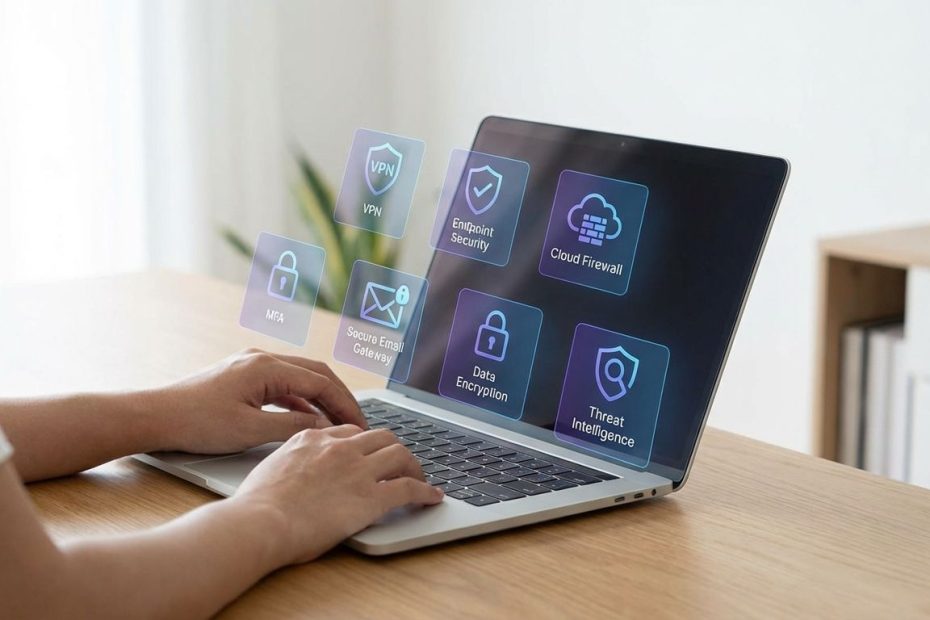
You protect a remote or hybrid business best by standardizing on seven tool categories, identity and phishing‑resistant MFA, endpoint detection and response, device management, secure access (ZTNA or business VPN), secure web and DNS filtering, password management, and reliable backups. These controls shut down the most common remote-work failure modes, stolen credentials, unmanaged laptops, and overly broad network access.
This guide lists the seven best cybersecurity tool categories to deploy in the remote work age, explains what each one blocks, what to configure on day one, and where teams waste money by buying overlapping products. Expect practical selection criteria, rollout advice, and a “minimum viable stack” you can implement without turning your business into an IT project.
1. Identity And Phishing-Resistant MFA, SSO
Remote work security rises or falls on identity. When users authenticate from home networks, coffee shops, and personal devices, the network perimeter stops being a dependable control. Attackers know this, so credential theft and session hijacking stay near the top of real-world incident patterns across industries.
A strong identity layer means single sign-on (SSO), enforced multi-factor authentication (MFA), and tight access policies tied to user risk and device health. In 2026, the default target should be phishing-resistant MFA using passkeys (FIDO2) or security keys, not SMS codes. This matters because modern phishing kits capture passwords, one-time codes, and even MFA prompts, then replay them fast enough to beat human reaction time.
Start by enforcing MFA for every interactive sign-in, then lock down privileged accounts even harder. Require phishing-resistant methods for admins and for access to your crown-jewel apps, email, file storage, code repos, payroll, finance, and production consoles. If the identity provider supports Conditional Access, use it to block risky logins, restrict access by device compliance, and stop sign-ins from locations or devices that do not meet policy.
Operationally, identity tooling pays off when it becomes your control plane for offboarding and incident response. When someone leaves, access disappears centrally, not app by app. When an account looks compromised, you revoke sessions, force reauthentication, and rotate keys without waiting for endpoint cleanup.
Common tool choices:
- – Microsoft Entra ID (Conditional Access, passkeys/FIDO2, authentication strengths)
- – Okta (SSO, strong policy control, phishing-resistant authenticators)
- Cisco Duo (MFA, device trust, remote access enforcement)
2. Endpoint Protection (EDR) For Remote Laptops
Remote endpoints are where business data lives now. Even when apps move to SaaS, laptops still hold tokens, cached data, browser sessions, local files, and credentials in memory. Attackers target endpoints because one compromised device can become the launch point for ransomware, business email compromise follow-on steps, and access to internal systems.
EDR, endpoint detection and response, gives visibility into suspicious behavior on devices you cannot physically touch. Antivirus alone won’t keep pace with modern attacks that use living-off-the-land techniques, stolen admin tools, and scripted actions that look legitimate at first glance. EDR helps by detecting process chains, unusual credential access, persistence attempts, lateral movement, and ransomware-like behavior, then enabling isolation and remediation.
EDR also helps you enforce consistency across a distributed fleet. You want every managed laptop to report health, receive updates, and stay protected regardless of location. Set policy so agents cannot be disabled by local admins without an auditable exception. If the tool supports it, use tamper protection and require devices to check in within a defined window.
Pair EDR with endpoint basics that still matter: full-disk encryption, automatic patching, browser hardening, and least-privilege on local admin rights. EDR is not a substitute for patch management or for keeping users out of admin mode, it is your early-warning system and containment lever when the basics fail.
Common tool choices:
- CrowdStrike Falcon
- Microsoft Defender for Endpoint
- SentinelOne
3. Device Management (MDM/UEM) And Posture Checks
If remote work introduced one consistent reality, it is this: unmanaged devices create unmanaged risk. A laptop that is missing patches, running outdated OS builds, or configured with weak security settings can neutralize your best identity policies. Attackers do not need to break your cloud security if they can steal tokens or credentials directly from a poorly managed endpoint.
MDM/UEM, mobile device management or unified endpoint management, gives you enforcement. You push security baselines, require disk encryption, enforce screen lock, block risky configurations, control OS update rings, deploy certificates, and manage app access. This is where policy turns into measurable compliance rather than “best effort.”
Posture checks extend that enforcement into access control. Instead of granting access because a user typed a password and approved MFA, you grant access because the user is authenticated and the device meets requirements. That requirement list should be simple and non-negotiable: enrolled device, healthy EDR agent, full disk encryption enabled, OS patch level within defined thresholds, and no indicators of compromise.
Rollout works best when it’s staged. Start with corporate-owned laptops and high-risk departments, finance, engineering, executives. Then expand to the rest of the fleet. If BYOD must exist, separate it from fully trusted access. Allow BYOD only for low-risk apps, browser-only access, or with strong containerization, and enforce stricter session controls.
Common tool choices:
- Microsoft Intune
- VMware Workspace ONE
- Jamf (Apple-heavy environments)
4. Secure Access: ZTNA/SASE For App-Level Control
Remote work breaks the old assumption that “inside the network” equals trusted. A VPN that drops a user onto the internal network can create broad reach once connected. That becomes a blast-radius issue, a compromised laptop or phished credentials can pivot across systems that were never intended to be reachable from a remote session.
Zero Trust Network Access (ZTNA) shifts access from network-level trust to app-level access based on identity and device posture. Instead of putting users on the network, you broker access to specific apps and services they are allowed to use. This sharply limits lateral movement and reduces the value of stolen credentials because the attacker hits policy walls earlier.
SASE, secure access service edge, and SSE, security service edge, often bundle ZTNA with secure web gateway, DNS filtering, CASB-type controls, and data protections. The naming differs by vendor, but the buying intent stays consistent: one control plane that follows users to any location and enforces consistent policy at the edge.
Implementation succeeds when it’s treated as an access redesign, not a lift-and-shift of VPN rules. Map applications by sensitivity and user group. Publish the smallest set of apps first, then expand. Require device compliance for admin interfaces, and consider separate policies for contractors, vendors, and personal devices. Keep logging enabled and export to a SIEM or at least a centralized log store so investigations do not stall.
Common tool choices:
- Cloudflare Zero Trust (Access, Gateway, device posture with WARP)
- Zscaler (ZTNA plus secure web controls)
- Fortinet Unified SASE / ZTNA (often paired with broader network security stacks)
5. Business VPN For Legacy Apps And Quick Wins
A VPN is not obsolete, it is just easy to misuse. For legacy applications, fixed-IP allowlisting, or environments that are not ready for ZTNA redesign, a business VPN can still deliver value fast. The problem starts when VPN becomes the only remote access control and ends up granting wide network access without strong device enforcement.
If a VPN remains in your stack, lock it down like a high-value gateway. Require MFA, restrict access by user group, and implement split-tunneling decisions intentionally. If sensitive traffic must traverse the VPN, enforce it and test it. If split-tunneling is allowed, ensure web traffic still goes through a secure web gateway or DNS protection so home browsing doesn’t become the malware delivery channel that later compromises the corporate session.
Business VPNs also help smaller teams standardize remote access without maintaining complex infrastructure. When the product includes centralized administration, user lifecycle controls, and audit logs, it becomes far easier to enforce policy consistently. Dedicated IP options can also support controlled access to vendors, whitelisted SaaS admin portals, or private services that need stable ingress rules.
Treat VPN as a bridge. Use it where it fits, then reduce dependence over time by shifting key apps to ZTNA-style access and modern authentication. That’s how VPN stops being a permanent risk surface and becomes a controlled transitional tool.
Common tool choices:
- ExpressVPN for Teams (business-oriented administration and deployment options)
- NordLayer (business VPN option in a similar category)
- Traditional enterprise VPNs if you already operate that infrastructure, with strict policy and monitoring
6. Secure Web Gateway And DNS Filtering
Remote employees spend the workday in the browser. That makes the web your highest-volume attack surface, malicious ads, typosquatting, fake login portals, drive-by downloads, and compromised SaaS sessions. A secure web gateway (SWG) and DNS filtering layer reduce exposure before threats hit endpoints.
DNS filtering blocks known malicious domains and command-and-control callbacks. Secure web gateway functions add URL filtering, content inspection, risky category blocking, file-type controls, and enforcement for corporate browsing policy. Many platforms also apply controls to SaaS usage, detecting shadow IT and enforcing restrictions on uploads or access from unmanaged devices.
This layer matters even with strong MFA, because not every incident starts with credential theft. Malware delivered through a browser exploit or a poisoned download can steal session tokens, browser cookies, and saved credentials, then bypass your clean login controls. SWG and DNS controls shrink that probability by preventing contact with known bad infrastructure and limiting accidental exposure.
Implementation should separate business needs from personal browsing without being careless. Block clear high-risk categories, newly registered domains where possible, known phishing and malware destinations, and unauthorized remote admin tools. Allow business categories and partner domains through explicit policies. Log everything to support investigations, and build exception workflows that don’t rely on informal “just turn it off” requests.
Common tool choices:
- Cloud-delivered SWG and DNS protection from major SASE/SSE vendors
- Standalone DNS filtering tools if a full SSE rollout is not ready
7. Password Managers For Businesses
Password managers are not optional in a remote-first business. The minute your team relies on dozens of SaaS tools, vendor portals, internal dashboards, and shared service accounts, password reuse and insecure sharing show up. Remote work amplifies the risk because people manage credentials across multiple devices and browsers, often outside corporate network controls.
A business password manager helps you enforce unique passwords, improve offboarding, and reduce shared-account chaos. It also gives you a way to share access to vendor portals without sending passwords over chat or email. Strong products also add audit trails, vault health reporting, breach monitoring, and admin controls to prevent unsafe sharing patterns.
Pricing matters for planning, and it changes, so verify your shortlist at purchase time. As of January 2026, Bitwarden Teams lists $4 per user per month billed annually. 1Password Business lists $7.99 per user per month billed annually. Those numbers make it easy to model cost versus the hours you lose cleaning up credential sprawl and the business risk of lingering access after offboarding.
Set rollout policy carefully. Enforce SSO integration where supported, require MFA to the password manager itself, disable unsafe exports where possible, and define vault ownership for teams. Then focus on operational wins: faster onboarding, fast access reviews, and clean offboarding that doesn’t rely on someone remembering what tools a departing employee used.
Common tool choices:
- Bitwarden (strong value, clear business plan structure)
- 1Password (strong admin features and user experience for broader adoption)
What Are the Best Cybersecurity Tools for Remote Work?
- Phishing-resistant MFA and SSO to stop credential theft
- EDR to detect and isolate compromised laptops
- MDM/UEM to enforce device security and posture checks
- ZTNA or locked-down VPN for secure remote access
- SWG/DNS filtering and password managers to reduce web and credential risk
Turn This Stack Into A Measurable Security Program
You do not need to buy everything at once, but you do need to deploy in the right order. Start with identity controls and endpoint visibility, then lock device compliance, then modernize access, then add browsing controls, then mature recovery. That sequence reduces incident probability quickly and improves response speed when something still breaks through.
Measure outcomes, not tools. Track MFA adoption by method type, passkey usage rates, endpoint coverage, patch compliance, device encryption status, and mean time to isolate a device during a simulated incident. Track how long it takes to offboard a user fully, how many dormant accounts remain, and how many apps are in use without central access control.
Once the basics run cleanly, consolidate where it reduces operational load. A well-run stack is the one your team can enforce consistently, monitor daily, and audit monthly. Remote work punishes “set and forget,” so build routine, alerts that matter, and ownership that stays clear.

Walter Morales is President of Commonwealth Advisors, Inc., with over 30 years of experience in financial planning and investment strategy. An educator, philanthropist, and community leader, he is dedicated to advancing financial literacy and expanding educational opportunities.