
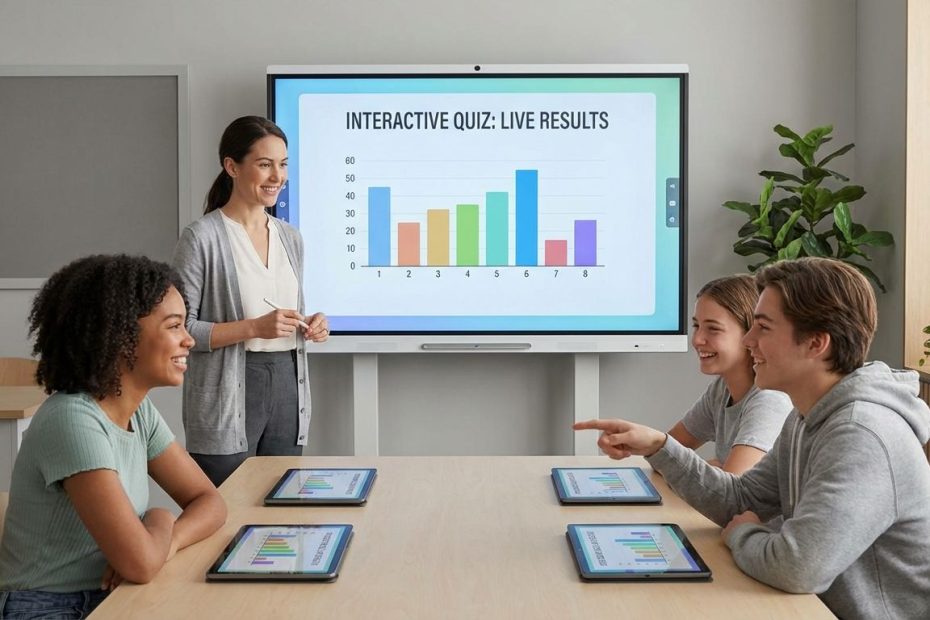
Student engagement tools help you turn passive listening into visible participation you can measure, respond to, and improve in real time. When you pick the right tool for the moment, you get more hands-on learning, cleaner formative assessment data, and fewer “blank stares” that derail pace.
This guide gives you seven classroom-proven EdTech tools, plus practical ways to deploy them without adding prep overload. You’ll walk away knowing which platform fits live review, interactive instruction, video accountability, collaboration, and reporting, and how to combine them into a repeatable weekly engagement routine.
1. Kahoot!
Kahoot! remains the fastest way to convert a room into a responsive learning environment, especially for live review and quick checks for understanding. You launch a game, students join quickly, and you get immediate feedback on what landed, what didn’t, and which distractors fooled the most learners.
Where Kahoot! earns its place is speed: you can run it as a warm-up, a mid-lesson pulse check, or a high-energy review without re-teaching students a new workflow. When engagement drops late in the period, Kahoot! reliably pulls participation back up because the format makes “answering” feel lighter than raising a hand.
Pricing and limits matter when you plan long-term use. Kahoot!’s K–12 school plans publish participant caps by tier, so you can match a plan to class size and usage frequency. If you need simple, consistent whole-class participation, the paid tiers scale player limits and reporting depth without forcing you into a district purchase.
Best Fit: Live review days, quick formative checks, vocabulary practice, end-of-lesson exit tickets with momentum.
Operational Tip: Standardize 2–3 question templates you reuse every week (vocab, worked example, common misconception). That reduces authoring time and keeps data comparable from week to week.
2. Quizizz
Quizizz is built for flexibility across live, instructor-led moments and independent, student-paced practice. You can run it in class for a shared experience, then reuse the same content for homework, intervention, or make-up work without rebuilding the activity.
It works well when you need engagement that scales across different learning speeds. Faster students stay occupied without waiting, slower students keep moving without public pressure, and you still collect response data that helps you regroup the next day.
Quizizz also earns trust with clear plan distinctions that map to real classroom constraints. Its published plan overview includes storage differences and participant limits, which matters if you run large grade-level events, assemblies, or multi-class sessions.
Best Fit: Independent practice, reteach cycles, review that must also work asynchronously, large-group participation where scale matters.
Operational Tip: Build a “spiral review” bank organized by standard, then assign a short mixed set weekly. Engagement stays higher when students recognize the pattern and can track their own progress.
3. Gimkit
Gimkit is the tool to pick when you need engagement that holds attention beyond the first five minutes. It leans into replayable game loops and strategy-driven modes, so students stay focused on answering because correct answers fuel the game mechanics.
In practice, Gimkit performs best when you want repeated retrieval practice without students feeling like they are taking the same quiz again. You get more repetitions, more time-on-task, and fewer disengaged students drifting off during review.
Gimkit’s pricing is unusually transparent for educators buying individually or organizing a group purchase. That makes it easier to plan budgets and justify spend because you can tie cost to usage frequency and outcomes.
Best Fit: High-frequency review, station rotations, homework modes that students actually complete, sustained practice on high-priority standards.
Operational Tip: Use Gimkit for “thin slicing” skills: short question stems, one objective per set, and a tight feedback loop. Keep the kit small and run it repeatedly over the week to drive mastery.
4. Nearpod
Nearpod is a strong choice when you want interactive instruction, not just interactive review. You can deliver slides, embed activities, and collect responses inside the flow of teaching, which helps you keep pacing tight while still checking understanding frequently.
It also supports a “lesson package” style of instruction where media, questions, and activities live together. That reduces tab-switching and helps students stay oriented because everything runs from a single session experience.
Nearpod publishes plan tiers with storage and student-join limits, which helps you decide whether the free tier fits your class size and content library needs. If you run larger classes or multiple sections, the jump in join limits can be the deciding factor for paid licensing.
Best Fit: Direct instruction with embedded checks, interactive mini-lessons, data-rich lesson delivery, observation-ready instruction routines.
Operational Tip: Plan a predictable rhythm: teach for 5–7 minutes, run a Nearpod check, adjust instruction, then repeat. Engagement stays stable when students expect frequent response moments.
5. Pear Deck
Pear Deck is the quickest way to make slide-based instruction participatory, especially if lessons already live in Google Slides or PowerPoint. You add interactive prompts, students respond, and you see their thinking without stopping to collect papers or call on the same few volunteers.
It shines when you want quieter students to participate consistently. Anonymous joins and the ability to project responses without spotlighting individuals changes the participation pattern in many rooms, with more students responding more often.
Pear Deck’s pricing also makes it easy to choose between a capable free tier and an individual premium plan. If you rely on response types like drawing and draggable interactions, or you want named response visibility and richer review workflows, premium features become practical rather than “nice to have.”
Best Fit: Interactive lecture, quick writes, visible thinking routines, whole-class discussion prompts, low-pressure participation.
Operational Tip: Build three default prompts into lesson templates: “predict,” “explain your choice,” “summarize in one sentence.” Those three prompts generate the most usable formative data with the least authoring time.
6. Edpuzzle
Edpuzzle solves a common engagement problem: video assignments that students do not complete, or complete without comprehension. By embedding checks inside the video, you verify attention and understanding while collecting data you can use for follow-up instruction.
It also supports a clean intervention loop. When students miss key questions, you can assign targeted rewatching or a short corrective activity, then verify improvement with another embedded question set. That keeps accountability tied to learning, not just compliance.
Edpuzzle’s help-center guidance is direct about cost and the limits of the free Basic plan, which matters when you’re planning for semester-long use. You can run meaningful video-based engagement at no cost, then decide whether your storage needs and activity volume justify pushing for a school license.
Best Fit: Flipped learning, sub days, reteach assignments, homework with accountability, pre-assessment before a new unit.
Operational Tip: Keep embedded questions short and frequent. A tight cadence produces better data and reduces the chance students drift through passive watching.
7. Padlet
Padlet is the simplest way to create a shared space where every student contributes, not just the most confident speakers. You can run brainstorming, exit tickets, resource collections, quick reflections, and silent discussions where participation is visible and easy to moderate.
It also works well for group work because the artifact is shared. Students can co-collect links, images, notes, and draft ideas in one place, then you can review patterns and misconceptions without chasing documents across multiple platforms.
Padlet Classroom adds structure for schools by supporting teacher and student accounts, permission controls, and content moderation features designed for classroom use. If collaboration is part of instruction weekly, that structure prevents the board from turning into a messy, hard-to-manage stream.
Best Fit: Silent discussions, collaborative research boards, group planning, gallery walks, exit tickets, project checkpoints.
Operational Tip: Establish a consistent posting protocol: one original post, two comments, one reaction. Engagement rises when expectations are explicit and measurable.
Best EdTech Tools To Engage Students
- Kahoot, Quizizz, Gimkit for game-based review
- Nearpod, Pear Deck for interactive lessons
- Edpuzzle for accountable video learning
- Padlet for collaboration and student voice
Build Your Weekly Engagement Stack
You get the best results when these tools operate as a simple system you can run every week. Use Nearpod or Pear Deck to collect responses during instruction, then use Kahoot, Quizizz, or Gimkit to reinforce and measure retrieval practice, then assign Edpuzzle when you need accountable video work, and keep Padlet running as the shared space for discussion and collaboration.
Budget decisions become easier when you tie spend to frequency and impact. A free tier can cover occasional use, but if a tool becomes part of the weekly routine, the paid tier often pays back in saved time, cleaner data, and fewer reteach cycles. Lock in a consistent routine, measure participation and accuracy weekly, then upgrade only the tool that removes your biggest constraint.
If engagement is the goal, the win comes from execution: predictable prompts, fast launch routines, and a clear plan for what happens after you see the data. Put these seven tools into a repeatable cadence, and student participation becomes the default instead of the exception.
References
- Kahoot! for schools: Plans and pricing
- Quizizz Help Center: Understanding Quizizz Plans
- Gimkit Help: Gimkit Pro FAQ
- Nearpod: Pricing Plans and Comparison
- Pear Deck: Pricing
- Edpuzzle Help Center: Cost and content limits
- Padlet Knowledge Base: Padlet Classroom

Walter Morales is President of Commonwealth Advisors, Inc., with over 30 years of experience in financial planning and investment strategy. An educator, philanthropist, and community leader, he is dedicated to advancing financial literacy and expanding educational opportunities.